
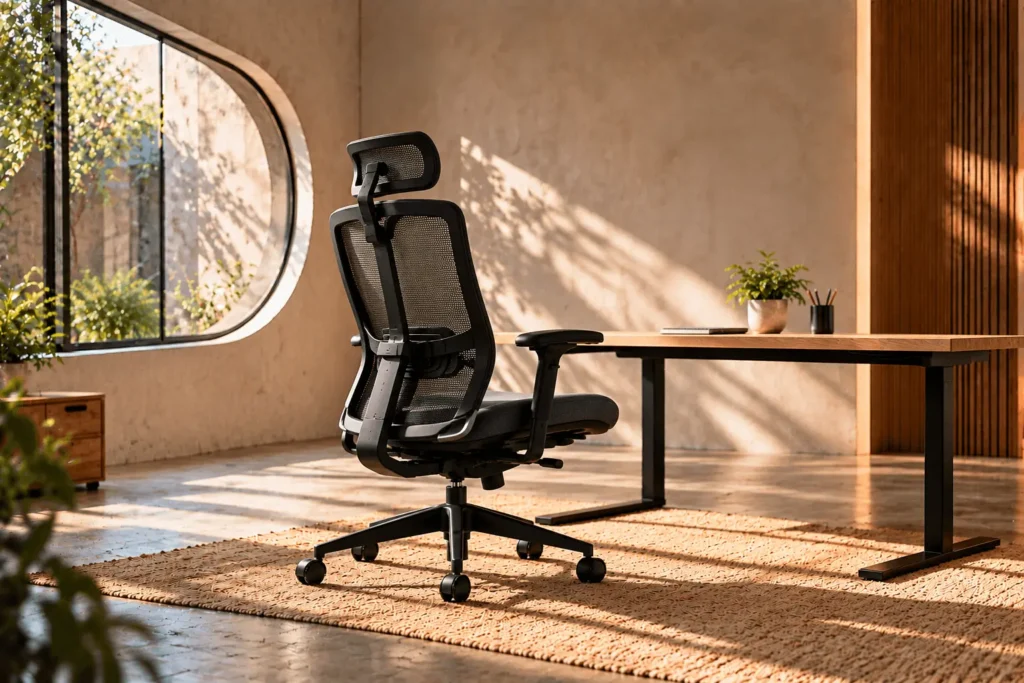
Best office chairs for back support are not defined by a single lumbar feature. Good support starts with a chair that fits your body, lets you sit back against the backrest, supports the lower back in a useful position and gives you enough adjustment to work with your desk.
This guide explains what to look for before buying. It focuses on fit and published specifications rather than unsupported claims about individual products. Product recommendations will be added when verified canonical Product Commerce records and current retailer offers are available.
What should back support actually do?
A chair’s backrest should support your back without forcing you into one rigid position. The lumbar area should be supported without creating an exaggerated curve or pushing you too far forward.
OSHA’s workstation guidance identifies a well-designed and adjusted chair as one that supports the back, legs, buttocks and arms. It also emphasizes adjustability because different users need different settings.
OSHA: Computer Workstations — Chairs
Start with seat fit
Back support cannot compensate for a seat that does not fit. If the seat is too deep, you may struggle to sit fully back while keeping comfortable space behind your knees. If it is too shallow, your thighs may lack useful support.
Seat depth adjustment can therefore be as important to back comfort as the lumbar mechanism itself. Compare the actual seat dimensions and adjustment range instead of relying on the label “ergonomic.”
Look for adjustable lumbar positioning
Lumbar support is most useful when it can meet the lower-back area without forcing your torso into an uncomfortable position. Height adjustment is particularly helpful because torso length varies.
Some chairs also change lumbar depth or pressure. These controls can be useful, but more controls do not automatically mean better support. The goal is a position you can comfortably use.
Backrest height and shape matter
The shape of the backrest determines how your spine and upper body interact with the chair. A backrest that feels supportive to one person may feel intrusive to another.
Check where the chair’s main support points sit relative to your torso. If possible, review manufacturer dimensions for backrest height and width rather than judging from product photography alone.
Recline can help you change position
Back support should not mean sitting upright at exactly one angle all day. A useful recline mechanism lets you change your position while maintaining contact with the backrest.
Compare whether the backrest moves independently, whether the seat tilts with it, whether positions can be locked and whether tension can be adjusted. These details can affect how easy the chair is to use throughout the day.
Armrests are part of the back-support equation
Armrests may seem separate from lumbar support, but they influence how your shoulders and upper body are positioned at the desk. If they are too high, your shoulders may stay elevated. If they are too low or too far away, they may not provide useful support.
Look for a height range that works with your desk and your preferred keyboard position. Width, depth and pivot adjustment can add flexibility.
Check the desk before blaming the chair
A chair can be adjusted correctly and still feel wrong if the desk is too high or too low. Measure the desk and consider keyboard and monitor position as part of the same setup.
If you have to raise the chair for your legs but the desk remains fixed, you may need to address the workstation as a whole rather than buying a different chair.
How body size changes the decision
Shorter users often need a lower minimum seat height and a shallower seat. Taller users may need greater seat depth, higher seat height and a backrest that accommodates a longer torso.
Wider users should also check seat width, armrest spacing and the manufacturer’s weight rating. These measurements are more useful than a generic claim that a chair is “for everyone.”
What about a headrest?
A headrest is not the same thing as lumbar support. It may be useful when you recline frequently, but it should not force your head forward during normal desk work.
If you want one, check height and angle adjustment and consider how it behaves when you sit upright versus reclined.
Materials and cushioning
Mesh, foam and upholstery can all be appropriate depending on the design. Breathability may matter in a warm room, while cushioning may matter to someone who prefers a softer seat.
Do not treat material as a shortcut for support quality. The seat shape, backrest construction and adjustment range deserve equal attention.
Warranty is part of the buying decision
When a chair will be used every weekday, warranty coverage deserves attention. Review what is covered, for how long, and whether the coverage applies to the intended use.
A clear return policy is also valuable because personal fit cannot be predicted perfectly from measurements alone.
A back-support checklist
- Seat: Can you sit back without pressure behind your knees?
- Height: Can your feet rest securely while the chair works with your desk?
- Lumbar: Can the support reach a useful position?
- Backrest: Does its shape and size suit your torso?
- Recline: Can you change position while maintaining support?
- Armrests: Can your shoulders stay relaxed?
- Desk: Can the chair and desk work together?
- Warranty: Are the coverage and return terms clear?
How ChoiceKite will evaluate back-support recommendations
ChoiceKite will prioritize published dimensions, adjustment ranges, fit considerations, buyer-focused research and verified retailer information. We will not invent ratings, test results, personal experiences or medical claims.
When verified Product Commerce records are available, relevant products can be placed beside the sections where their fit characteristics matter. The goal is to help readers compare real product information without turning the article into a collection of unsupported product claims.
Bottom line
The strongest back-support choice is usually the chair that fits your body and lets you adjust the seat, lumbar area, backrest, armrests and recline to your workstation. Start with dimensions and fit, then evaluate the support features that actually solve your needs.
Affiliate disclosure: We may earn a small commission if you purchase through our links, at no extra cost to you.